

The pages come with the site
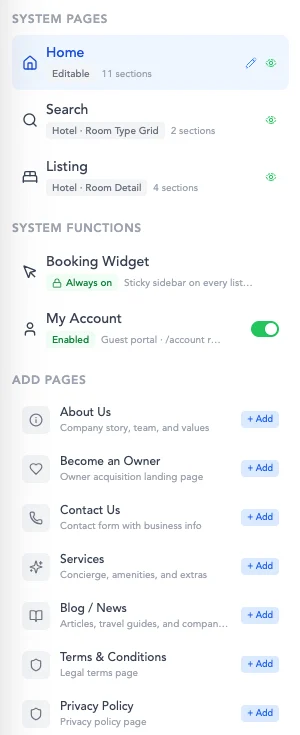
Home, Search and Listing are generated for you and wired to your inventory on day one. Add About Us, Become an Owner, Contact, Services, Blog and your legal pages with one click each — already styled, already in the menu.
Drag the blocks that matter
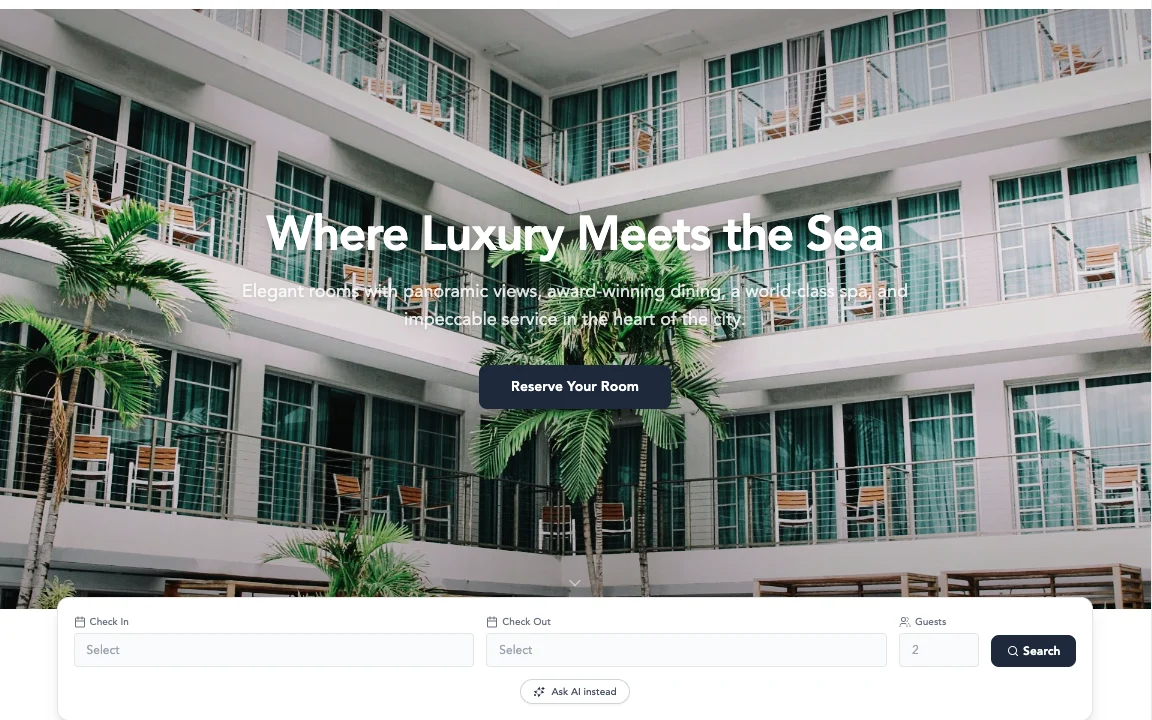
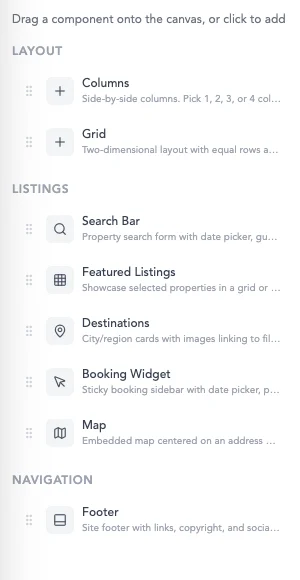
Columns and Grid for layout. Search Bar, Featured Listings, Destinations, Map and the Booking Widget for inventory. Drop one on the canvas, or click to add — and see it render live, not in a preview tab.
Your brand, three colours deep
Primary, secondary and accent flow through every block, with your logo, favicon and per-site SEO title and description. Point your own domain at it, drop in custom code if you need to, and publish.
Vacation rentals or hotels
Rentals get a property grid and a property page. Hotels get a room-type grid and a room-detail page, with your own word for a unit — Villa, Suite, Room. Same builder, right shape.
Live rates, real payments
The booking widget is a sticky sidebar on every listing showing the same availability and AI-priced rates as every channel, and it takes cards securely. Guests who’d rather not pick dates can hit Ask AI instead and describe the trip.
BAM closes the lookers
Abandoned a booking? Asked a question at 3am? The AI follows up every inquiry until it books — that’s the +10% conversion uplift. Guests get a My Account portal for the rest.
Ship a whole site, not a landing page
Every page a booking site needs is one click away, and the guest portal is already switched on. Preview it at desktop, tablet and phone widths before you publish — and every publish is a version you can roll back to.
- Home
- Search
- Listing
- About Us
- Become an Owner
- Contact Us
- Services
- Blog / News
- Terms
- Privacy
- My Account portal
- Versions & rollback